If you're a beginner in the world of microcontrollers and embedded systems, the
Arduino Nano USB is an excellent starting point. The
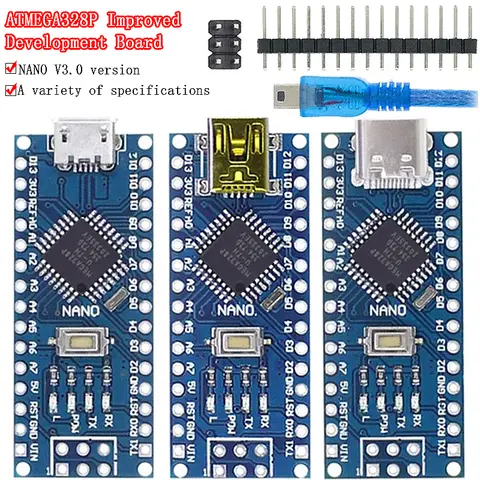
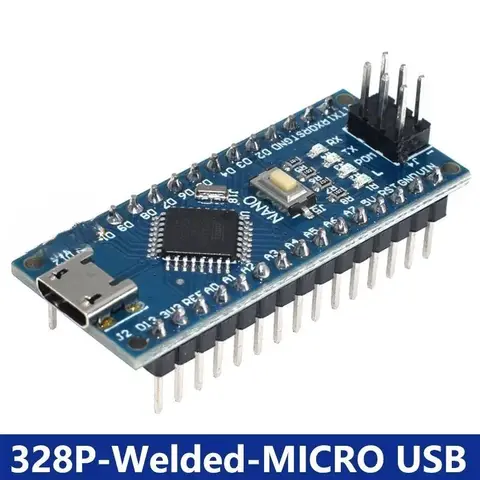
Arduino Nano is a compact, breadboard-friendly board that features a USB interface for easy programming and power supply. Among the various models, the Arduino Nano with CH340 USB driver is highly recommended for beginners due to its affordability and ease of setup. The
Arduino Nano USB board is ideal for simple projects such as LED blinking, sensor readings, and basic robotics. It supports the ATmega328P microcontroller, which is powerful enough for most entry-level applications. The USB interface allows you to upload code directly from the Arduino IDE without the need for an external programmer.
- Arduino Nano
- A small, complete, and breadboard-friendly microcontroller board based on the ATmega328P.
- CH340 USB Driver
- A cost-effective USB-to-serial converter used in many Arduino Nano clones for communication with the computer.
- Connect the Arduino Nano USB board to your computer via a Micro USB cable.
- Install the CH340 USB driver if it's not automatically recognized by your operating system.
- Open the Arduino IDE, select the correct board and port from the Tools menu.
- Upload a simple sketch, such as the Blink example, to test the board.
In my experience, the Arduino Nano with CH340 USB is a reliable and budget-friendly option for beginners. It’s also compatible with a wide range of shields and modules, such as the
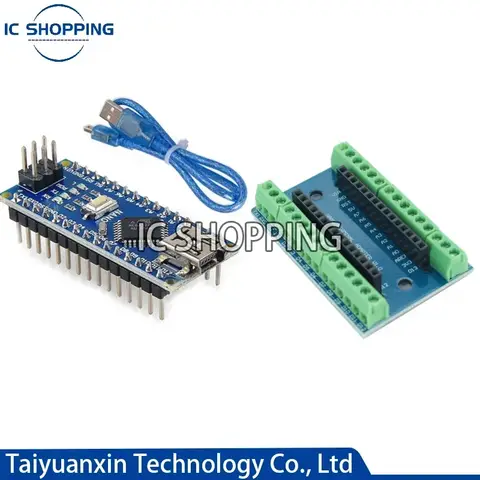
Arduino Nano USB Host Shield, which allows you to connect USB devices like keyboards and mice.
How can I use the Arduino Nano USB for a serial communication project?
The Arduino Nano USB is well-suited for serial communication projects due to its built-in USB-to-serial converter. This makes it easy to send and receive data between the board and a computer or other devices. Whether you're building a
serial USB Arduino Nano interface or a USB controller, the board provides a straightforward way to implement serial communication. Serial communication is commonly used in projects like data logging, sensor monitoring, and remote control systems. The Arduino Nano USB supports both TX (transmit) and RX (receive) pins, which can be used to interface with other devices or modules.
- Serial Communication
- A method of transferring data between devices one bit at a time, typically using a serial port or USB interface.
- TX and RX Pins
- Transmit and Receive pins on the Arduino Nano used for sending and receiving serial data.
- Connect the Arduino Nano USB to your computer via a Micro USB cable.
- Open the Arduino IDE and write a simple serial communication sketch using the Serial.begin() and Serial.print() functions.
- Upload the sketch to the board and open the Serial Monitor to view the output.
- For more advanced projects, you can use the Arduino Nano USB Host Shield to connect USB devices and communicate with them via serial.
In one of my projects, I used the Arduino Nano USB to create a
serial USB Arduino Nano interface for a weather station. The board collected temperature and humidity data from sensors and sent it to a computer via serial communication. The USB interface made it easy to power the board and transfer data without the need for an external power supply.
What are the differences between the Arduino Nano USB and other similar boards?
When choosing between the Arduino Nano USB and other similar boards, it's important to understand the key differences in terms of USB interface, microcontroller, and compatibility. The Arduino Nano USB is often compared to the
Arduino Nano Pro, Arduino Nano V3.0, and
Arduino Nano USB Type C models.
| Board | USB Interface | Microcontroller | Power Supply | Price |
| Arduino Nano USB (CH340) | Micro USB | ATmega328P | USB or external power | $2–$5 |
| Arduino Nano Pro | No built-in USB | ATmega328P | External power only | $3–$6 |
| Arduino Nano V3.0 | Micro USB | ATmega328P | USB or external power | $4–$7 |
| Arduino Nano USB Type C | USB Type C | ATmega328P | USB or external power | $5–$8 |
The Arduino Nano USB with CH340 driver is the most affordable and user-friendly option for beginners. It includes a built-in USB-to-serial converter, making it easy to program and power the board. The Arduino Nano Pro, on the other hand, requires an external programmer and is more suitable for advanced users who need a compact board without the USB interface. The Arduino Nano V3.0 is a slightly upgraded version of the standard Nano, with improved power regulation and a more stable USB interface. The Arduino Nano USB Type C is a newer model that uses the USB Type C connector, which is becoming the standard for modern devices. In my experience, the Arduino Nano USB with CH340 is the best all-around choice for most projects. It offers a good balance of performance, affordability, and ease of use. If you're working on a project that requires a USB controller or USB host functionality, the Arduino Nano USB Host Shield is a great addition to the board.
What do users say about the Arduino Nano USB and related products?
The Arduino Nano USB has received positive feedback from users for its compact size, ease of use, and affordability. Many users appreciate the CH340 USB driver for its reliability and compatibility with most operating systems. However, some users have reported issues with the CH340 driver on certain Linux distributions, which can be resolved by installing the correct drivers manually. Users also frequently mention the Arduino Nano USB board as a good alternative to the Arduino Uno for smaller projects. The Arduino Nano USB Type C is praised for its modern USB Type C connector, which is more durable and faster than the traditional Micro USB. In terms of related products, the Arduino Nano USB Host Shield is highly recommended for users who want to connect USB devices to their projects. The Arduino Nano Pro is often used in more advanced applications where the USB interface is not required. Overall, the Arduino Nano USB is a versatile and reliable board that has been widely adopted by hobbyists and professionals alike. Its USB interface, compact design, and affordable price make it a popular choice for a wide range of projects.